
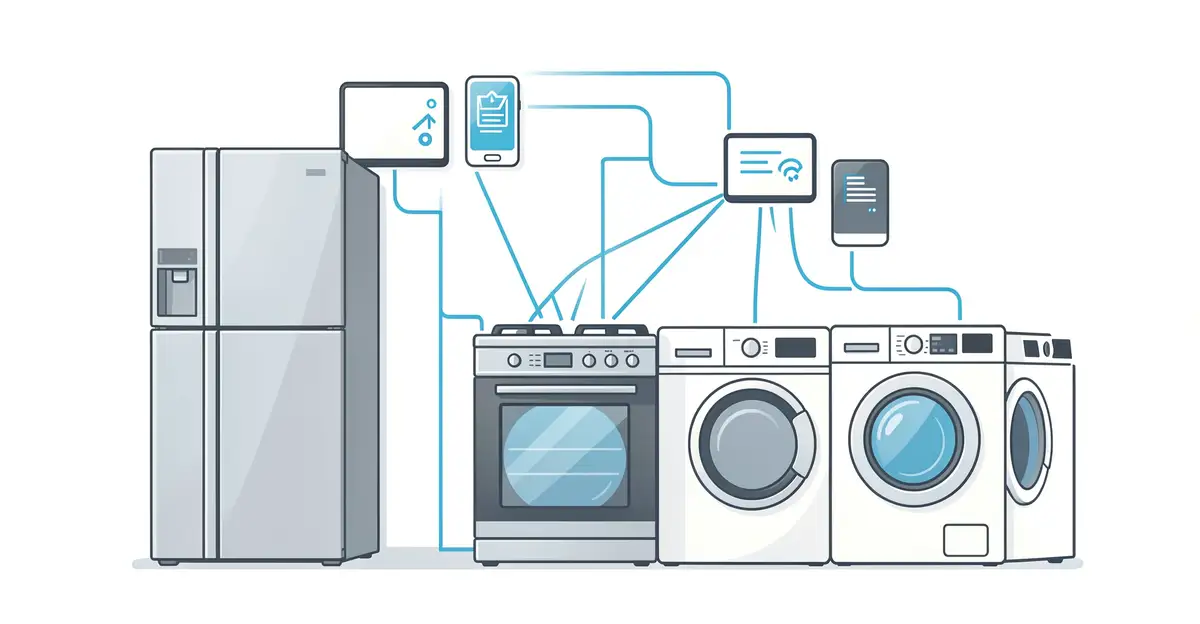
Your refrigerator, oven, and even your coffee maker can now talk to the internet. Understanding how smart appliances are connected to the internet helps you set up your home, troubleshoot problems, and protect your privacy.
In this guide, we break down the technology behind these connections—from Wi-Fi and Bluetooth to Zigbee hubs—in plain language. You’ll learn what happens when you tap an app, why some devices need a hub, and how to keep your smart home secure.
Introduction
Smart appliances have moved from novelty to normal. Refrigerators that suggest recipes, washing machines that start a cycle while you’re at work, and thermostats that learn your schedule all depend on one thing: an internet connection. But how exactly does a dishwasher or a light bulb get online, and what happens once it’s there? Understanding the plumbing behind these devices helps you set them up correctly, keep them secure, and get the most value from them.
This article explores How Smart Appliances Are Connected to the Internet with clear, practical guidance. You’ll learn the underlying technologies, the step-by-step process of connecting a device, common pitfalls, and habits that keep everything running smoothly.
Key Concepts
Before you connect anything, it helps to know the basic vocabulary. Smart appliances typically use one of several wireless technologies to reach the internet through your home network.
- Wi-Fi: The most common method for large appliances like refrigerators, ovens, and washing machines. These devices connect directly to your home router on the 2.4 GHz or 5 GHz band.
- Bluetooth: Used mainly for initial setup or short-range control, not for continuous internet access.
- Zigbee and Z-Wave: Low-power mesh protocols common in lighting, sensors, and smaller smart devices. They require a hub that bridges them to your Wi-Fi network.
- Thread and Matter: Newer standards designed to let devices from different brands work together. Matter is an application layer that runs over Wi-Fi, Ethernet, or Thread.
- Cloud services: Most smart appliances send data to a manufacturer’s cloud, which processes commands from your phone app and pushes firmware updates.
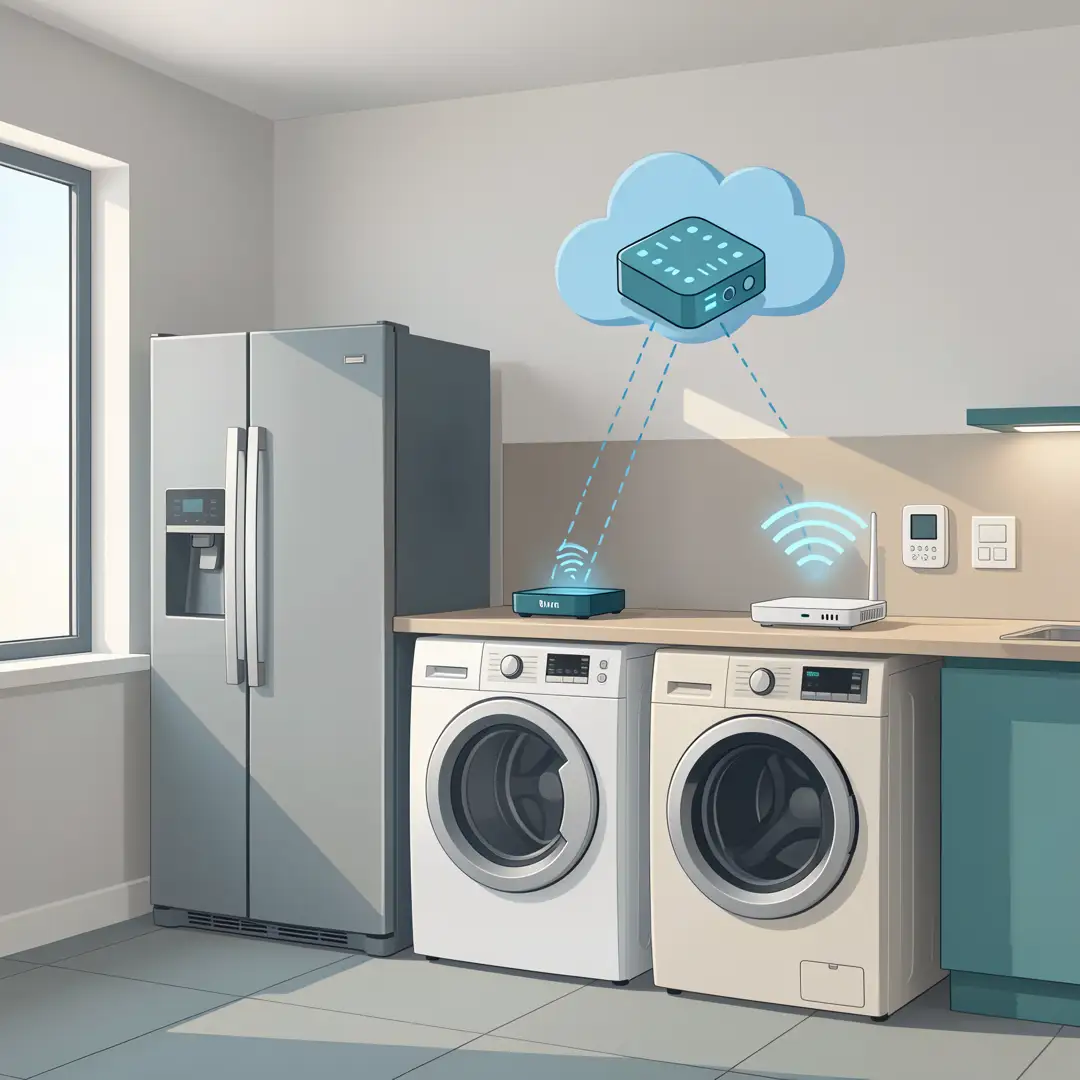
- Hubs and bridges: Hardware that translates between your router and devices that don’t speak Wi-Fi natively.
Understanding these fundamentals of How Smart Appliances Are Connected to the Internet helps you make informed decisions when buying devices and setting up your network.
Deep Dive
The connection process usually follows a predictable path. A smart appliance has a small computer inside, often called a module or radio, that handles network communication. When you power it on for the first time, it enters a setup mode and broadcasts a temporary signal or waits for you to pair it through an app.
You then use the manufacturer’s app to share your Wi-Fi credentials. The appliance joins your home network, obtains an IP address from your router, and reaches out to the manufacturer’s cloud servers. From that point on, the app on your phone doesn’t talk directly to the appliance. Instead, your phone talks to the cloud, and the cloud talks to the appliance. This is why your refrigerator can be controlled from another country as long as both ends have internet access.
Not all appliances work this way. Some support local control, where the app communicates directly over your home network without a cloud round trip. Local control is faster and keeps working if the manufacturer’s servers go down, but it’s less common and often limited to specific brands or hubs.
Security is a major part of this deep dive. Every internet-connected appliance is a potential entry point. Manufacturers use encryption, secure boot, and signed firmware updates to reduce risk, but older or cheap devices may lag behind. Your router also plays a role: guest networks, strong passwords, and regular firmware updates all matter.
Another factor is bandwidth and network load. Most smart appliances use very little data, but a house full of them can still strain an older router. A mesh Wi-Fi system or a dedicated IoT network can help keep things stable.

Step-by-Step Guide
Step 1: Understand the fundamentals
Start by reading the manual or the manufacturer’s website for your specific appliance. Find out which wireless protocol it uses, whether it needs a hub, and what app you’ll need. Check whether it requires a 2.4 GHz Wi-Fi network, since many appliances don’t support 5 GHz. Knowing this before you start saves time and frustration.
Step 2: Assess your starting point
Look at your current home network. Where is your router? How strong is the signal near where the appliance will live? Do you have a guest network or a separate IoT network? Check your router’s admin page to see how many devices are already connected and whether you’re using WPA2 or WPA3 security. If your router is old or provided by your ISP years ago, it may be time for an upgrade.
Step 3: Set clear goals
Decide what you actually want from the appliance. Do you want remote monitoring, voice control through a smart speaker, scheduling, or energy reporting? Your goals determine which features to enable and which cloud services to connect. For example, if you only want to start the washing machine remotely, you may not need to link it to a voice assistant or share data with third-party services.
Step 4: Gather necessary resources
Before setup, collect what you need: the appliance manual, your Wi-Fi network name and password, a smartphone with the manufacturer’s app installed, and any required hub or bridge. If the appliance uses Zigbee or Z-Wave, make sure the hub is powered on and connected to your router. Create an account with the manufacturer if the app requires it, and have a strong, unique password ready.
Step 5: Apply the core methods
Follow the manufacturer’s setup process. Typically, you’ll power on the appliance, put it in pairing mode, open the app, and follow the prompts to connect it to Wi-Fi. If it fails, try moving the appliance closer to the router temporarily, or check that you’re entering the 2.4 GHz network credentials. Once connected, name the device clearly in the app, assign it to a room, and enable any security features like two-factor authentication on your account.
If you’re using a hub, add the appliance to the hub first, then link the hub to your preferred smart home platform. For Matter-compatible devices, you can often scan a QR code to add them to multiple ecosystems at once.
Step 6: Monitor your progress
After setup, test the connection by sending a command from the app while you’re on a different network, such as cellular data. Check for firmware updates and install them. Over the first few weeks, watch for dropped connections or slow responses. Keep a simple log of any issues and what you did to fix them. Reliable information and consistent habits lead to better long-term outcomes.
Best Practices
Once your appliances are online, a few habits keep them secure and reliable.
- Use a separate IoT network. Many routers let you create a guest or IoT network. Putting smart appliances there isolates them from your computers and phones.
- Change default passwords. If an appliance or hub ships with a default password, change it immediately.
- Enable automatic updates. Firmware updates often patch security holes. Let them install automatically if the option exists.
- Limit data sharing. Review the app’s privacy settings and turn off analytics or data sharing you don’t need.
- Reboot occasionally. A monthly reboot of your router and hubs can clear memory leaks and stale connections.
- Document your setup. Keep a list of which appliances are on which network and which app controls them. This helps when troubleshooting or moving.
- Plan for outages. Know which appliances work locally and which stop working if the internet goes down.
These practices don’t require technical expertise, just consistency. They reduce the chance of a security incident and keep your smart home responsive.
FAQ
What should I know about How Smart Appliances Are Connected to the Internet?
The most important thing to know is that most smart appliances rely on a cloud service to function remotely. They connect to your Wi-Fi, then talk to the manufacturer’s servers, which relay commands from your phone. This means your appliance’s functionality depends on both your internet connection and the manufacturer’s servers. You should also know that security varies widely between brands, so choosing reputable manufacturers and following basic network hygiene is essential. Finally, understand that not all appliances need the internet to do their primary job. A smart oven still bakes without Wi-Fi; the connection adds convenience features.
Who is this guide for?
This guide is for anyone who owns or is considering buying a smart appliance and wants to understand how it connects to the internet. That includes homeowners setting up their first smart device, renters who want to add smart features without permanent changes, and anyone who has struggled with a device that won’t stay connected. It’s also useful for people who care about privacy and security and want to make informed choices about what data their appliances share. No technical background is required; the steps are written for general readers.
Conclusion
Connecting smart appliances to the internet is less mysterious once you understand the basic flow: device to router, router to cloud, cloud to app. The technology behind it—Wi-Fi, hubs, and protocols like Matter—exists to make that flow reliable and interoperable. By following the step-by-step process and adopting a few security habits, you can enjoy the convenience of a connected home without unnecessary risk. Remember that reliable information and consistent habits lead to better long-term outcomes, whether you’re setting up your first smart plug or managing a full kitchen of connected appliances.
Frequently Asked Questions
What should I know about How Smart Appliances Are Connected to the Internet?
This guide covers the essentials of How Smart Appliances Are Connected to the Internet with practical steps you can apply right away.
Who is this guide for?
Anyone looking for a clear, structured overview without unnecessary complexity.
You now have a solid foundation for How Smart Appliances Are Connected to the Internet. Apply the best practices above and revisit this guide as your needs evolve.