
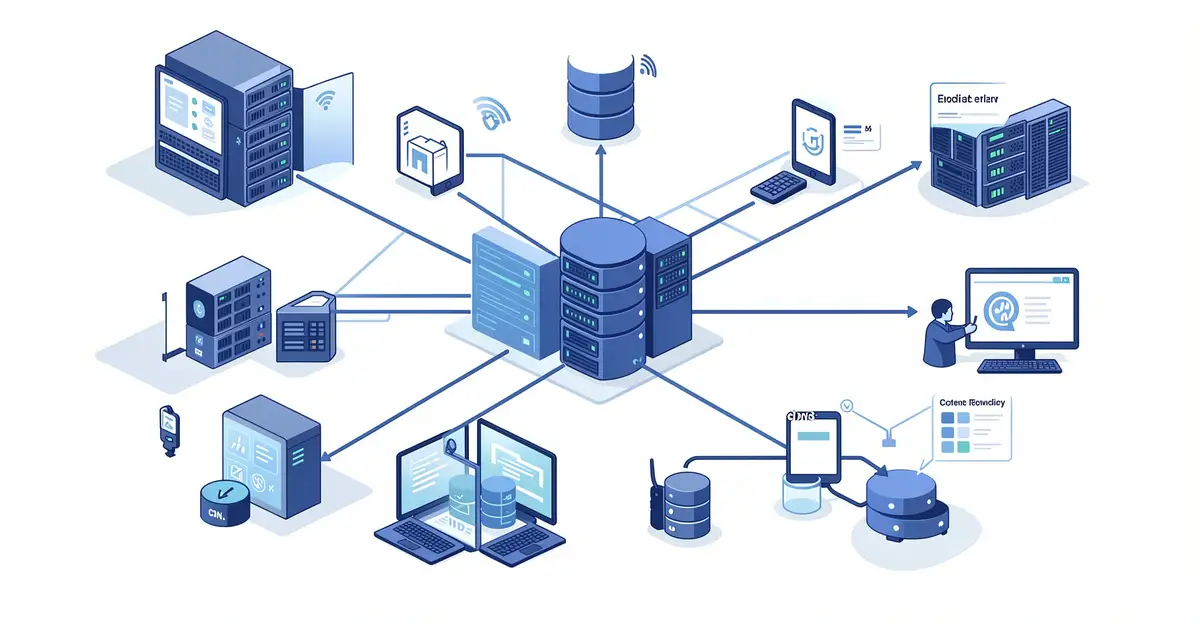
Every time you press play on a streaming service, a remarkable chain of technology springs into action. From adaptive bitrate algorithms to content delivery networks spread across the globe, the technology behind modern video streaming works tirelessly to deliver smooth, high-quality video to your screen in seconds.
Understanding how this system operates helps you troubleshoot buffering issues, choose better settings, and appreciate the engineering that makes it all possible. Let’s break down the key components that power today’s streaming experience.
Introduction
Every time you press play on a streaming service, a remarkable chain of technologies springs into action. Within a second or two, data travels from a server farm, possibly thousands of miles away, through a network of routers, undersea cables, and cell towers, before arriving at your device as a smooth, high-definition picture. Most people never think about this process, and that is precisely the point: good streaming technology is invisible when it works.
This article explores the technology behind modern video streaming with clear, practical guidance. Whether you are a curious viewer trying to understand why your favorite show occasionally buffers, a student studying media technology, or a professional looking for ways to improve your own streaming setup, the same principle applies. Understanding the fundamentals of The Technology Behind Modern Video Streaming helps you make informed decisions.
The streaming landscape has changed dramatically over the past fifteen years. What began as grainy, stuttering clips on early websites has evolved into a multi-billion-dollar industry delivering cinema-quality video to billions of screens. Behind that evolution lies a set of core technologies—encoding, compression, adaptive bitrate streaming, content delivery networks, and buffering strategies—that work together to balance quality, speed, and reliability. By the end of this guide, you will understand how these pieces fit together and what you can do to get the most from your own streaming experience.
Key Concepts
Before diving into the details, it helps to understand the core building blocks of video streaming. Each concept below plays a specific role in getting video from a creator to your screen.
Encoding and Compression
Raw video is enormous. A single minute of uncompressed 4K video can exceed several gigabytes. To make streaming practical, video must be compressed using codecs—algorithms that remove redundant visual information while preserving perceived quality. Common codecs include H.264 (also called AVC), H.265 (HEVC), VP9, and AV1. Newer codecs like AV1 offer better compression, meaning smaller files at the same quality, but they require more processing power to decode.
Adaptive Bitrate Streaming
This is one of the most important innovations in modern streaming. Instead of sending a single fixed-quality stream, the server prepares multiple versions of the video at different bitrates and resolutions. As your network conditions change, the player switches between these versions on the fly. If your Wi-Fi weakens, the player drops to a lower bitrate to avoid stalling. When conditions improve, it climbs back up. Protocols like HLS (HTTP Live Streaming) and MPEG-DASH make this possible.
Content Delivery Networks (CDNs)
A CDN is a geographically distributed network of servers that cache video content close to viewers. Instead of every request traveling to a single origin server, your device connects to a nearby edge server. This reduces latency, lowers bandwidth costs for the provider, and improves reliability during traffic spikes. Major streaming platforms operate their own CDNs or partner with providers like Akamai, Cloudflare, or Amazon CloudFront.
Buffering and Latency
Buffering is the process of pre-loading a few seconds or minutes of video before playback begins. It acts as a cushion against network jitter. Latency, by contrast, is the delay between when content is captured and when it appears on your screen. Live streaming demands low latency, while on-demand viewing can tolerate more buffering in exchange for smoother playback.
- Codec: The algorithm that compresses and decompresses video.
- Bitrate: The amount of data processed per second, usually measured in Mbps.
- Resolution: The pixel dimensions of the video, such as 1080p or 4K.
- Manifest file: A small text file that tells the player where to find each quality level.
- Segment: A short chunk of video, typically two to ten seconds long, that the player downloads individually.
Deep Dive
Now that the vocabulary is clear, let us trace what actually happens when you start a stream. The process unfolds in several stages, each with its own engineering challenges.
From Camera to Encoder
Content begins as a master file, often produced in high resolution with professional cameras. This master is then transcoded into many versions. A typical platform might create dozens of renditions: 240p at 300 kbps, 480p at 1.2 Mbps, 720p at 3 Mbps, 1080p at 6 Mbps, and 4K at 15 Mbps or more. Each rendition is also packaged into small segments, typically two to six seconds long, so the player can switch quality at segment boundaries.
The Role of the Player
The video player on your device is the brain of the operation. It reads the manifest file, estimates your available bandwidth, checks the buffer level, and decides which segment to download next. Modern players use sophisticated algorithms that consider not just current bandwidth but also historical throughput, device capabilities, and battery status. Some players also support trick play, subtitles, and multiple audio tracks, all synchronized to the same timeline.
Network Dynamics and Quality of Experience
Streaming is a constant negotiation between quality and stability. If the player is too aggressive, it may choose a high bitrate that the network cannot sustain, causing rebuffering. If it is too conservative, viewers complain about blurry video. Engineers measure success using Quality of Experience (QoE) metrics: startup time, rebuffering ratio, average bitrate, and the frequency of quality switches. Reliable information and consistent habits lead to better long-term outcomes, both for viewers and for the engineers optimizing these systems.
Live Streaming Challenges
Live video adds a real-time constraint. There is no time to pre-process the entire event. Encoders must compress footage on the fly, often with low-latency settings that sacrifice some compression efficiency. CDNs must scale instantly to handle millions of simultaneous viewers. Protocols like Low-Latency HLS and WebRTC push latency down to a few seconds or even sub-second, enabling interactive experiences such as live auctions, sports betting, and video conferencing.
Security and Content Protection
Streaming platforms invest heavily in protecting content. Digital Rights Management (DRM) systems like Widevine, FairPlay, and PlayReady encrypt video so that only authorized devices can decrypt it. Watermarking adds a unique identifier to each stream, allowing providers to trace leaks. Token-based authentication ensures that only paying subscribers can request the manifest file.
Best Practices
Whether you are optimizing your home network or building a streaming service, the following practices will help you achieve better results.
- Use a wired connection when possible. Ethernet is more stable than Wi-Fi and reduces jitter, which is the enemy of smooth streaming.
- Choose the right router placement. Keep your router central and elevated, away from thick walls and metal objects.
- Update your devices. Newer firmware often includes improved codec support and network handling.
- Match quality to screen size. On a phone, 720p is often indistinguishable from 1080p, so lowering the setting can save bandwidth.
- Monitor your bandwidth. If multiple people stream simultaneously, consider a plan with higher throughput or enable quality-of-service settings on your router.
- For service providers, test across devices. A stream that works on a flagship phone may fail on an older smart TV.
- Invest in observability. Real-user monitoring and synthetic testing catch problems before viewers complain.
Step-by-Step Guide
If you want to improve your own streaming experience or understand the technology more deeply, follow these steps in order.
Step 1: Understand the fundamentals
Start by learning the basic vocabulary: codecs, bitrate, resolution, buffering, and CDNs. Read a few introductory articles or watch explainer videos. You do not need to become an engineer, but knowing what these terms mean will help you diagnose problems and make smarter choices. For example, understanding that a 4K stream needs roughly 15 to 25 Mbps will immediately tell you whether your internet plan is sufficient.
Step 2: Assess your starting point
Measure your current setup. Run a speed test to see your actual download speed. Check which streaming devices you own and what codecs they support. Note how often you experience buffering or quality drops. Keep a simple log for a week, recording the time of day and what you were watching. Patterns will emerge: perhaps congestion peaks in the evening, or one particular device struggles more than others.
Step 3: Set clear goals
Decide what success looks like for you. If you are a viewer, your goal might be “no buffering during prime-time streaming” or “watch 4K content without downgrading.” If you are a content creator or engineer, your goals might be “reduce startup time to under two seconds” or “support 10,000 concurrent viewers.” Specific, measurable goals make it easier to choose the right solutions and to know when you have succeeded.
Step 4: Gather necessary resources
Depending on your goal, you may need different resources. A home viewer might need a better router, a longer Ethernet cable, or a subscription upgrade. A developer might need access to encoding tools like FFmpeg, a CDN account, and testing devices. Make a list and acquire what you need before making changes. Rushing into adjustments without the right tools often leads to frustration and wasted effort.
Step 5: Apply the core methods
Now put your knowledge into practice. At home, try connecting your main streaming device directly to the router with Ethernet. Disable background downloads on other devices during viewing hours. In a professional setting, implement adaptive bitrate streaming with multiple renditions, configure your CDN correctly, and test your manifest files. If you are optimizing a live stream, experiment with segment length and encoder settings to balance latency and quality.
Step 6: Monitor your progress
After making changes, measure again. Compare your new speed tests, buffering frequency, and startup times against your baseline. For professional systems, set up dashboards that track rebuffering ratio, average bitrate, and error rates in real time. Adjust as needed. Technology and network conditions change, so monitoring should be an ongoing habit rather than a one-time task.
FAQ
What should I know about The Technology Behind Modern Video Streaming?
You should know that streaming is not magic; it is a carefully orchestrated pipeline of encoding, segmentation, delivery, and playback. The key takeaway is that quality depends on both your network and the provider's infrastructure. Understanding concepts like adaptive bitrate streaming and CDNs helps you troubleshoot issues and set realistic expectations. You do not need to master every detail, but a basic grasp of bitrate, resolution, and buffering will make you a more informed viewer.
You now have a solid foundation for The Technology Behind Modern Video Streaming. Apply the best practices above and revisit this guide as your needs evolve.